


BabyTV - Kids Videos & Songs
3.5455.00 Reviews
App Specs
- Version
- Varies with Device
- Updated On
- License
- Free
- Downloads
- 1,000,000+
- Developer
- Disney
- Categories
- Parenting
- Platform
- Android, iOS
Screenshots
 Analysis by AppCompare
Sharing a phone or tablet with a young child can turn a few quiet minutes into a small household negotiation: the grown-up wants something easy to start, while the child wants something familiar and absorbing. I found BabyTV - Kids Videos & Songs most useful in that everyday gap, when a short song or story can make waiting, winding down, or a change of activity feel less difficult. It is a parenting app from Disney, built around children’s viewing and listening rather than general-purpose video browsing.
A small screen-time routine, not a substitute for one
For example, imagine getting ready to leave while a toddler is restless. I’d choose a short, familiar song, keep the device where I can see it, and treat the video as a brief bridge to the next activity—not as something to leave running indefinitely. Songs and stories give the app several moods to work with: lively content can make a wait more cheerful, while a bedtime story or gentler song may suit the end of the day better. The useful part is having options in one place; the important part is still deciding when to put the device away.
That distinction matters on a shared family device. I’d open the app for the child rather than hand over the whole phone unlocked, especially if messages, shopping, or other adult apps are nearby. The bright, child-oriented presentation is approachable for little fingers, but a simple interface is not the same thing as a device-level boundary. Keeping an adult nearby also makes it easier to notice when a child has had enough or is ready to move on.
Setting boundaries before handing over the device
One practical habit is to decide the viewing moment before opening the app: a song while dinner is finishing, a story as part of settling down, or a short distraction during an unavoidable wait. That removes the need to negotiate screen time after the child is already absorbed. I’d also check what is on screen before passing over the device and stay within reach, rather than assuming that a children’s app should manage every part of a family’s device routine.
That approach is particularly helpful when siblings or adults share one tablet. A child may want a familiar song while someone else needs the device for a call or a task, so it helps to make the session clearly temporary and return the device to its usual place afterward. I wouldn’t treat the app as a household account-management solution; the sounder expectation is that grown-ups handle access, timing, and the device itself.
Choosing content and coordinating with another caregiver
When another caregiver is looking after the child, I’d describe the routine in plain terms: which kind of content usually works, whether this is a playtime or wind-down moment, and when the device should be put away. That small handoff can prevent one adult from choosing an energetic song just as another is trying to settle the child. It also gives the caregiver a reason to watch alongside the child and use a song or story as a prompt to sing, point, or talk together.
I’d avoid assuming that everyone in the household will have the same preferences. One adult may be comfortable with a short video during a wait, while another may prefer music without a screen. BabyTV can fit the first routine, but it doesn’t resolve that family decision for you. If there is disagreement, choosing a particular time and stopping point together is more useful than expecting the app itself to coordinate expectations.
Worth Reading Before You Choose

Flipboard Shows What News Apps Must Do Beyond the Feed

Switching to Android Auto Means Rethinking Your Driving Routine

Google Calendar Makes a Crowded Week Easier to Manage

Ludo King Makes the Most of the Minutes Between Plans

Baby Panda World Brings Quick Play to Modern Phones, but Its Game Library Feels Busy

ESPN’s Live Game View Makes Following Close Games Easier
Compared with opening a general video platform, a dedicated children’s destination can feel more focused: you arrive looking for child-oriented songs and stories rather than browsing an enormous mix of material. Compared with playing a song from an ordinary music app, the video format can be more visually engaging, but it also means the child is watching a screen. For a family aiming to reduce visual screen time, singing a song together without the device may be the better choice. For a child who enjoys watching and listening at once, the video approach may be a welcome option.
Age, trust, and the grown-up’s role
The app is rated for Everyone, and its focus is young children, but an age label cannot tell a parent whether a particular song, pace, or screen session suits their own child. I’d use the child’s response as a guide: if the content is too stimulating near bedtime, save it for earlier; if the child is losing interest, there is little reason to keep searching for something that will hold attention. Watching together also gives an adult a chance to explain a new word or join in with a familiar tune instead of leaving the screen to do all the work.
BabyTV has an average rating of 3.7 from around 14,000 ratings, and it has been installed over a million times. Those figures suggest that many families have tried it, but they are not a promise that every child will enjoy it or that every household will like the same viewing routine. I’d treat the app as one option in a parent’s toolkit, not as a replacement for shared play, conversation, or a bedtime routine that works without a screen.
What’s the Buzz About?
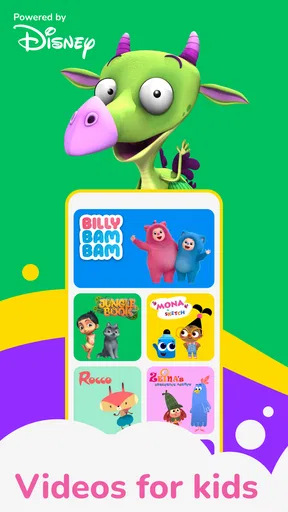
So, what exactly is BabyTV - Kids Videos & Songs? Essentially, it’s a treasure trove of content designed specifically for toddlers and young kids. The app comes packed with a variety of educational videos, songs, and interactive content that promise to keep your child engaged. The best part? It’s all wrapped up in a child-friendly interface that even the littlest fingers can navigate.
Features That Stand Out
Let’s dive into some of the features that make this app a hit among parents and kiddos alike.
- Engaging Videos: The app boasts a massive library of videos, ranging from fun nursery rhymes to educational clips about numbers, colors, and shapes. The videos are short enough to hold a young child’s attention, yet packed with enough content to stimulate their growing minds.
- Safe Environment: As a parent, I know how important it is to ensure that what our kids watch is appropriate. BabyTV does a stellar job of curating content that’s both safe and suitable for its young audience.
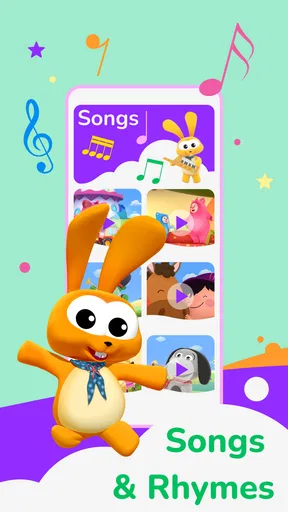
- Interactive Songs: Beyond just watching, the app encourages kids to sing along with interactive song features. It’s a delightful way to get them involved and learning through music.
- User-Friendly Interface: The layout is simple and intuitive, with big, colorful icons that make navigation a breeze for little ones.
My Experience with BabyTV
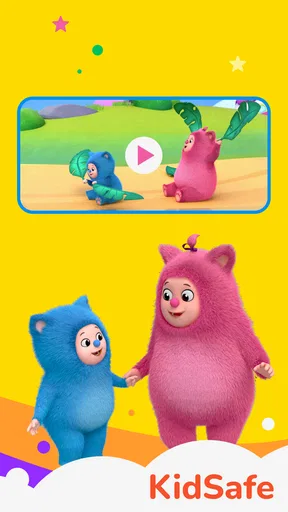
When I first opened the app, I was greeted by a vibrant and inviting home screen that immediately caught my attention—and my little one’s too! The colors are bright and cheery, making it an instant hit.
Scrolling through, I found a plethora of categories to choose from, which made it easy to find something that matched my child’s mood. Whether it was a calming bedtime song or an energetic dance number, the app had it all. And trust me, seeing your toddler groove to their favorite tunes is a joy like no other!
Educational Value
What truly sets BabyTV - Kids Videos & Songs apart is its focus on learning. Each video and song is crafted to teach something new, whether it’s vocabulary, counting, or even basic problem-solving skills. It’s like sneaking veggies into a meal—they’re learning, but it feels like playtime!
The interactive elements are a stroke of genius. Kids not only watch but can also engage with the content, which reinforces what they’re learning. This dynamic approach is fantastic for developing cognitive and motor skills.
Final Thoughts
If you’re on the hunt for an app that combines fun and education in a safe, easy-to-use package, BabyTV - Kids Videos & Songs should definitely be on your radar. It’s a wonderful resource for keeping your little ones entertained while giving them a head start on essential skills.
In a world where screen time is inevitable, why not make it meaningful? Download BabyTV and let the learning adventures begin!
Cost, compatibility, and the household decision
The app is free to download, with in-app purchases ranging from $0.99 to $59.99 per item. I’d keep that in mind if a child can use the device without an adult beside them: a free starting point does not mean every option inside is free. Before a child explores independently, I would review the purchase settings on the device and agree on a simple rule about asking an adult before tapping anything that appears to cost money. That is a useful boundary for any shared device, not just this one.
It was released on February 29, 2012, and requires iOS or Android version 7.0 or later. The long-running presence and broad install base may make it easy to consider, but the practical compatibility question is whether the family’s particular device can run it comfortably and whether it has enough space for the apps already in use. I would check that before planning a routine around it, especially on an older hand-me-down tablet that serves several people.
Who will get the most from it?
I think BabyTV makes the most sense for a household that wants a child-focused mix of songs, videos, stories, and games in a single app and is comfortable supervising when and how it is used. It can be especially handy for a caregiver who wants to choose between something energetic and something calmer without searching through unrelated video results. The categories and colorful presentation can also help an adult quickly offer a child a choice, rather than scrolling through a general entertainment service together.
It is less compelling for families who want a strictly audio-only routine, who prefer not to use video to occupy a child, or who expect a child-facing app to enforce household rules by itself. It is also not the right fit if a parent’s priority is a tightly controlled shared-device setup and they are unwilling to manage access and purchases at the device level. In those situations, a familiar offline song, a physical book, or a parent-selected audio option may be a better match.
My overall view is that this is a convenient, child-oriented source of short-form entertainment with a learning-through-play angle, but it works best when an adult chooses the moment and stays involved. I would use it as one small part of a family routine—not as a babysitter, a promise of developmental progress, or a replacement for the songs and stories a child can share with the people around them.
Pros
- Wide variety of educational content.
- Colorful
- engaging animations for kids.
- Ad-free environment for safe viewing.
- Simple interface for easy navigation.
- Offline mode for travel or low data.
Cons
- Limited free content access.
- Requires subscription for full features.
- No parental control settings.
- Some content may be repetitive.
- App size may be large for some devices.
FAQs for BabyTV - Kids Videos & Songs
What age group is BabyTV - Kids Videos & Songs suitable for?
BabyTV - Kids Videos & Songs is designed for young children, typically ranging from infants to preschoolers. The content is curated to be educational and entertaining, focusing on early childhood development through engaging videos and songs. Parents can feel assured that the app's material is age-appropriate and safe for young viewers.
Does BabyTV - Kids Videos & Songs require an internet connection?
Yes, BabyTV - Kids Videos & Songs generally requires an internet connection to stream content. However, some features may allow for downloading videos for offline viewing. This can be particularly useful for parents who want to entertain their children during travel or in areas with limited connectivity.
Is BabyTV - Kids Videos & Songs available in multiple languages?
Yes, BabyTV - Kids Videos & Songs offers content in multiple languages. This feature is particularly beneficial for bilingual families or for parents seeking to introduce a second language to their children. Check the app settings to see the available language options and select the one that best fits your needs.
Are there any subscription fees for using BabyTV - Kids Videos & Songs?
BabyTV - Kids Videos & Songs may offer a mix of free and premium content. While some videos and songs are accessible at no cost, accessing the full library typically requires a subscription. The subscription model often includes a monthly or yearly fee, providing unlimited access to all content without ads.
How does BabyTV - Kids Videos & Songs ensure the safety of its content?
BabyTV - Kids Videos & Songs is committed to providing safe and educational content for young children. The app's videos and songs are carefully curated by child development experts to ensure they are appropriate and beneficial for early learning. Parents can trust the app to deliver a secure viewing experience.


